
Stop No-Shows: How Online Booking Keeps Your Calendar Full
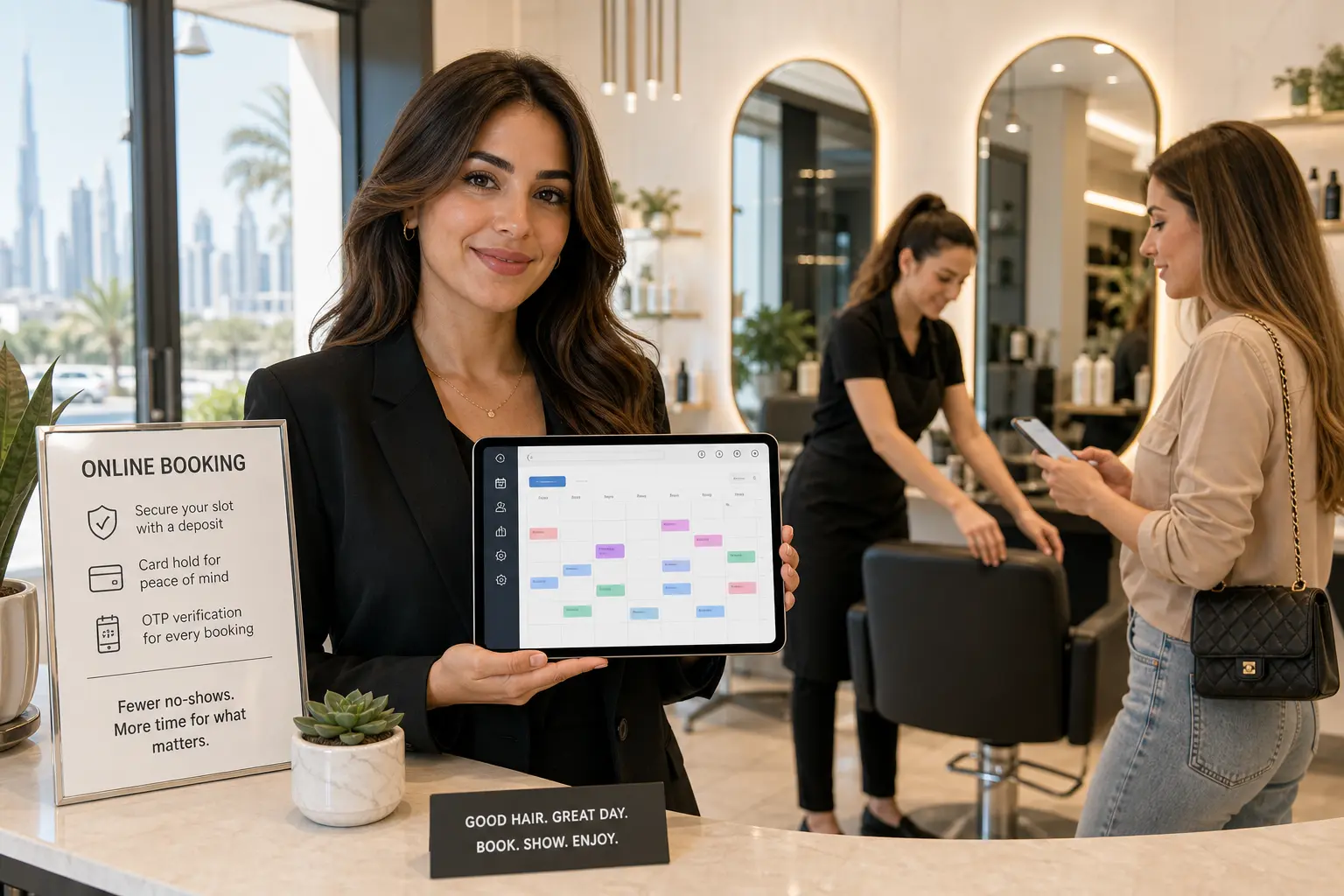
The fastest way to reduce no-shows with online booking is to let your booking system do the heavy lifting. Take a small deposit. Verify the customer with a one-time code. Send automatic reminders. Let them reschedule or cancel without a phone call. I've watched empty chairs at 6 p.m. in a Dubai salon and a yacht sitting idle on a Sunday because a customer forgot. The fix isn't being the bad guy. It's making the path to showing up easier than the path to disappearing.
The Real Cost of No-Shows (and Why They Happen)
Every empty slot is pure loss. You still pay rent on that salon chair. Your cleaning crew still gets wages for the two hours they waited in the van. Your yacht charter still burns a crew member's morning at the marina. Industry research suggests the global average no-show rate sits around 23.5%. That's roughly one in four bookings walking out the door without a call.
Most people don't skip appointments to be rude. They forget. A clinic patient books a 3 p.m. slot three weeks out, then gets pulled into a work call. A cleaning client double-books a deep clean with a friend's gathering and picks the friend. A rental customer has a minor schedule change and doesn't think it's worth calling to say so.
That's the psychology you're up against. Not malice. Just friction. And the good news is your booking process can change that behavior. Not by scolding people. Not by chasing them with angry texts. By making it effortless to show up or cancel properly.
When the booking flow itself asks for a small commitment, confirms the customer is real, and gives them a self-service way to move their slot, you stop losing revenue to forgotten appointments. You also stop being the person who has to make awkward follow-up calls.
How Online Booking Beats the Phone Tag Game
The old way is phone tag. A customer calls at 8:30 a.m. while you're with a client. You miss it. They leave a voicemail. You call back at noon. They're in a meeting. You text. They reply at 11 p.m. Meanwhile, three other customers messaged "DM to book" on Instagram and got no answer by morning. That's a leak.
Online booking changes the math. Your booking page is a 24/7 desk. A customer lands on it at midnight after scrolling through Instagram, picks a service, sees your real availability, and books in under two minutes. No phone call. No DM. No waiting for you to reply.
This is the core of online booking. It's not just a digital calendar. It's a way to capture demand in real time. A Dubai salon can take a 9 a.m. cut-and-color while the owner is sleeping. A cleaning company can book a two-person deep clean for Thursday while the manager is on another job. A yacht charter can sell a Saturday sunset cruise while the crew is prepping the boat.
When a customer books online, the slot is locked immediately. That alone reduces no-shows because the customer has a confirmation in hand and a sense that this is a real, scheduled commitment, not a vague "let me check with you later."
Your No-Show Policy: Make It Clear, Make It Kind
A no-show policy isn't about punishment. It's about setting expectations before the appointment. Most customers don't read long terms and conditions. But they will read a short, friendly policy if it appears at checkout.
Here's a template that works for almost any service business:
Life happens. If you need to reschedule or cancel, please do it at least 24 hours before your appointment. We'll send you a reminder and a self-service link so it takes ten seconds. If you don't show up without letting us know, we may charge a no-show fee or keep your deposit to cover the slot we held for you.
That's clear. It's kind. It tells the customer exactly what to do and what happens if they don't. Put this policy on your booking page, in your confirmation email, and in the checkout flow. When a customer sees it before paying a deposit, there are no surprises later.
A clear no-show policy combined with a deposit gives the customer a reason to prioritize the booking. They've read that a no-show may cost them money. They've agreed to it. Now the appointment has a tiny financial anchor, and that changes how seriously they treat it.
You don't have to enforce the policy every time. But having it in place means you can enforce it when a regular no-show needs a gentle nudge. And the policy protects you if you do charge a no-show fee.
A 3-Step System to Cut No-Shows (Without Being the Bad Guy)
These four levers work together. None of them make you the villain. They just remove the excuses that lead to empty slots.
Step 1: Take a deposit at booking
A deposit is the single most effective lever. When a customer pays even a small amount upfront, they have skin in the game. It's not about punishing them. It's about commitment. A deposit turns a maybe into a yes.
Set the deposit as a percentage or a flat amount at checkout. The balance gets collected later, after the service is done. When a booking sits in Payment Hold because the deposit hasn't cleared, the slot isn't really yours to keep. That's the beauty of a payment hold booking: the system holds the appointment until money moves, so you're not holding a slot for someone who never intended to pay.
For a salon, a USD 50 deposit on a color appointment can cut ghosting dramatically. For a cleaning crew of two, a 20% deposit on a villa deep clean filters out the "just shopping around" inquiries. For a yacht charter with crew, a deposit confirms the customer is serious enough to lock the date.
Step 2: Send automatic reminders
Automated reminders are your second lever. Industry research suggests automated SMS reminders can cut no-shows significantly. A short message sent 24 hours before the appointment, and maybe again a few hours before, gives people a chance to confirm, cancel, or reschedule.
If your online booking system sends automatic confirmations, make sure it also sends a reminder or at least gives you a way to trigger one. If it doesn't, set a daily task to send a quick text or email. It takes five minutes and saves real money.
Step 3: Let customers reschedule themselves
This is the lever most businesses ignore. When a customer has a conflict, they feel bad about calling to cancel. So they just don't show up. But if they can tap a link in their confirmation email and move their appointment to next week, they'll do it. Industry research suggests 69% of people say easy online rescheduling makes them more likely to show up.
Give customers a self-service portal. A confirmed booking should include a link to reschedule or cancel up to a certain deadline. That removes the social friction of a phone call and keeps your calendar full. A time slot that gets rescheduled is not a no-show.
What About the 'No-Show' Status? Handling What's Left
Even with a great system, some no-shows will still happen. A regular client forgets. A tourist books a jet ski and misses the time. That's where the No Show status in your booking system comes in.
Mark the booking as No Show. This isn't about shaming anyone. It's about tracking reality. Once a booking is marked No Show, you can see how often it happens, which services are affected, and which customers are repeat offenders. If a customer no-shows twice, you can require a full deposit next time or politely ask them to confirm by phone.
Use the Payment Hold status for bookings where payment is still pending. If a customer hasn't paid a deposit by the deadline, the booking should stay in Payment Hold and then auto-cancel. That way you're not left with an empty slot that someone never paid for. The system protects you from holding a chair, a room, or a yacht day for free.
Reports matter here. A booking report that shows no-shows by service or customer helps you spot patterns. Maybe Thursday evenings are your no-show hotspot. Maybe one corporate client accounts for half your missed appointments. You can't fix what you can't see.
The Future: Let AI Handle the Follow-Ups
AI-enabled booking is the natural next step. Picture this: a customer messages your booking page at 10 p.m. saying "I need to move my Thursday cleanup to Friday." Instead of waiting for you to reply, an AI booking assistant handles it. It checks availability, quotes the exact price, and offers a new time. The customer confirms. The slot is moved. You wake up to an updated calendar.
That's not a luxury feature for big chains. It's an optional add-on in a modern online booking system. The assistant can answer simple questions like "Do you have a stylist free Saturday morning?" or "Can I add a carpet steam clean?" It books, amends, and cancels through natural chat. It checks availability against your real resource schedule. It quotes the exact price with add-ons. It even takes payment.
Why does that reduce no-shows? Because the customer gets an instant answer, even outside business hours. When a customer tries to cancel and hits a wall, they may just not show up. When they message at midnight and get a reply, the booking moves. The easier you make it to communicate, the fewer silent no-shows you'll have.
AI doesn't replace your judgment. It handles the back-and-forth. You handle the service.
Key Takeaways & Your Next Step
Reducing no-shows comes down to five levers: a clear no-show policy, a small deposit, automatic reminders, self-service rescheduling, and OTP verification. None of them make you the bad guy. Together they make your calendar dramatically fuller.
A modern online booking system like Reservai has these tools built in. You can take a deposit at checkout. You can verify customers with a one-time code. You can let them reschedule themselves. You can track no-shows and payment holds without a spreadsheet. And with the AI booking assistant, even your after-hours messages get handled.
Every empty slot costs you money. The next step is simple. Set up a booking page, add your services, and start taking bookings online. Start booking with Reservai and see how much fuller your calendar can get.
FAQ: No-Shows and Online Booking
What is the best way to reduce no-shows?
The best way is to combine a few levers: take a small deposit, send automatic reminders, let customers reschedule themselves, and verify bookings with a one-time code. No single tactic works alone, but together they remove the most common reasons people skip appointments.
How do deposits help with no-shows?
A deposit creates a small financial commitment. When a customer pays even a portion upfront, they're more likely to show up or to cancel properly instead of disappearing. It filters out speculative bookings and gives you a reason to hold the slot.
What is OTP verification in booking?
OTP verification sends a one-time code to the customer's phone or email after they enter their contact details. The customer must enter that code to confirm the booking. This cuts fake and prank bookings because the contact information has to be real.
Can I set up automated reminders for my appointments?
Many online booking systems include automatic confirmation messages, and some also send reminders by email or SMS. If your system doesn't, you can set a daily manual reminder routine. The key is to give customers a nudge 24 hours before and a quick follow-up a few hours before the appointment.
What should I do if a customer doesn't show up?
Mark the booking as a no-show in your system. Keep a record so you can spot repeat offenders. Then follow your no-show policy. If you have a deposit or no-show fee policy, apply it consistently. If the customer had a genuine emergency, use your judgment and maybe waive it once.